 Tiếng Việt
 English
 Chinese
 Japanese
 Korean
 Thai
Thai Russian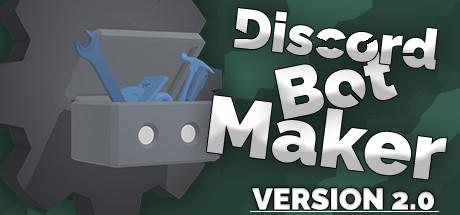
Discord Bot Maker
Phát triển bởi: Robert Borghese
GIỚI THIỆU TRÒ CHƠI
Discord Bot Maker is a powerful bot development tool for the #1 text and voice chat service for gamers: Discord. With this tool, you and your teammates can take your social experience to the next level!
One of the most prominent features provided by Discord is the official support for bot accounts. In a matter of 20 seconds, anyone can receive an official bot account in order to enhance the experience for members of their chat server. However, up until this point, manipulating a bot would require significant amounts of programming experience. It's time for that to change.
Discord Bot Maker is powerful, yet flexible, tool that allows both experienced programmers and bot newcomers to construct outstandingly effective bots in a matter of seconds. By piecing together actions that may occur through commands or events, one may create the bot of their dreams!
Discord Bot Maker uses a system based on "commands" and "events". Commands are manually called functions that invoke specific actions. These are done by sending specific words or phrases into the chat. The other half of the system involves "events". These will invoke functions based on certain conditions, such as members leaving/joining the server, the creation of channels, the banning of members, etc.
Both commands and events call upon "actions" that the developer selects. Here's a sample of some of the supported actions:
Not to mention, Discord Bot Maker provides a modifiable action system. Using HTML and JavaScript, advanced users can create their own actions by designing custom UIs and programming specific features. One may even manipulate bot code through extensions. The possibilities are endless!
Explanation
One of the most prominent features provided by Discord is the official support for bot accounts. In a matter of 20 seconds, anyone can receive an official bot account in order to enhance the experience for members of their chat server. However, up until this point, manipulating a bot would require significant amounts of programming experience. It's time for that to change.
Discord Bot Maker is powerful, yet flexible, tool that allows both experienced programmers and bot newcomers to construct outstandingly effective bots in a matter of seconds. By piecing together actions that may occur through commands or events, one may create the bot of their dreams!
Features
Discord Bot Maker uses a system based on "commands" and "events". Commands are manually called functions that invoke specific actions. These are done by sending specific words or phrases into the chat. The other half of the system involves "events". These will invoke functions based on certain conditions, such as members leaving/joining the server, the creation of channels, the banning of members, etc.
Both commands and events call upon "actions" that the developer selects. Here's a sample of some of the supported actions:
- Sending Messages
- Generating Embedded Messages
- Creating Roles and Channels
- Sending Local Files
- Dynamically Editing Images
- Manipulating Emojis
- Storing and Controlling Data
- Applying Logic Sequencing
- Banning or Kicking Members
- Being Awesome
- And much more!
Not to mention, Discord Bot Maker provides a modifiable action system. Using HTML and JavaScript, advanced users can create their own actions by designing custom UIs and programming specific features. One may even manipulate bot code through extensions. The possibilities are endless!
CẤU HÌNH YÊU CẦU
Tối thiểu:
- HĐH *: Windows 8, 10, or 11
- Bộ xử lý: 2GHz+
- Bộ nhớ: 2 GB RAM
- Đồ họa: 64MB
- Lưu trữ: 200 MB chỗ trống khả dụng
Khuyến nghị:
- HĐH *: Windows 8, 10, or 11
- Bộ nhớ: 4 GB RAM
- Đồ họa: 256MB
- Lưu trữ: 250 MB chỗ trống khả dụng
Nền tảng
STEAM142,000đ
Sản phẩm đang tạm hết hàng
CÂU HỎI THƯỜNG GẶP (FAQ)
Sản phẩm này có hỗ trợ chơi online không?
Hầu hết các game Steam bán trên KeyGame đều hỗ trợ tính năng Online/Multiplayer đầy đủ (trừ các tựa game thuần Single-player). Vui lòng xem kỹ phần Tính năng game trên Steam để biết thêm chi tiết.
Sau khi mua tôi nhận Key ở đâu?
Ngay sau khi thanh toán thành công, Mã Key/Tài khoản sẽ được tự động hiển thị trên màn hình Lịch sử Đơn hàng của bạn. Bạn cũng có thể vào phần Tài khoản > Đơn hàng để xem lại Key bất cứ lúc nào.
Chính sách bảo hành như thế nào?
KeyGame bảo hành trọn đời cho toàn bộ Game Bản Quyền. Nếu Key bị lỗi lúc nhập, hoặc tài khoản bị thu hồi trái phép (hiếm khi xảy ra), chúng tôi cam kết hoàn tiền 100% hoặc đổi Key mới ngay lập tức.