
 Tiếng Việt
 English
 Chinese
 Japanese
 Korean
 Thai
Thai Russian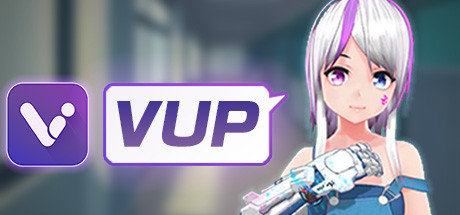
VUP- VTuber & Animation & motion capture & 3D & Live2D
Phát triển bởi: 西安曼云网络科技有限公司
Ngày phát hành
2 Thg01, 2020
Nhà xuất bản
西安曼云网络科技有限公司
Thể loại
GIỚI THIỆU TRÒ CHƠI

VUP is a VTuber tool, based on real-time capture technology, low-cost, zero-based to realize animation video production and multi-person cross-platform virtual livestream, opening a new era in which everyone is a VTuber.
Welcome to join VUP Discord server
Lower CPU usage, the new VUP-Live2D version is coming~
VUP not only supports 3D models, but also Live2D modelsWhat can VUP do?
- Facial Capture
Only an ordinary camera is needed, and the avatar will synchronize your eyes, eyebrows, mouth expressions in real time
You can make the avatar doing these expressions, such as wink, blink your eyes at the same time, move eyeballs, open mouth, raise eyebrows, bulging face, etc. - Motion Capture
VUP provides a variety of motion capture data ports, connect the motion capture device to your computer, then enable VUP motion capture, the avatar will synchronize your limbs and fingers movement in real time.
Supported motion capture such as: Leap Motion (Third Generation), Kinect v2, Noitom PN, Xsens, Intel Realsense (some models), ChingMu optical motion tracking, etc. - Voice Capture
Speaking to the microphone, and the avatar will make the corresponding mouth shape in real time. - Customize models, emojis, animations, props, and scenes
You can customize models(vrm, model3.json, pmx, fbx), emojis, actions (fbx, vmd, bvh), props (fbx, pmx), and scenes (Unity3D scene, png, mp4)
Note: pmx and fbx formats need to be converted to vup format by Unity 2018.4.x before they can be imported into VUP. - Shortcut Key
You can customize and trigger shortcut keys of expressions, actions, cameras, Pose, etc. - Prop
You can customize the props and the prop plans for your avatar. - Virtual Camera
VUP has a built-in virtual camera, you can project your avatar to Zoom, Discord, Skype, Google Meet, Microsoft Teams, etc. - Animation
VUP has a large number of built-in animations, which can be used to record short movies
And you can also import your animation. - Transparent Streaming
No need to filter the background color by the "chroma key",You can also get an avatar with transparent background
Transparent Streaming is only applicable to OBS, Streamlabs and other live streaming tools that can set "Allow Transparency". - Pose
You can choose a frame of the action in the action library as a pose, or you can customize a new pose. - Camera
You can customize the fixed shots, tracking shots , Pan shots, orbiting shots , linear motion shots , and transition effect of camera. - Auto wink & Auto looking camera
- Screenshot
You can customize the size of the screenshot, the location where the screenshot is stored, and get a screenshot with a transparent background. - Scene parameters can be set
Such as lighting, filters, depth of field, ambient light, sound, etc.
More features, looking forward to your discovery ^_^
Contact us
If you have any problems and suggestions, you can find us in the following ways.VUP Official Email: a@vlivemax.com
VUP Discord server:
Twitter:
YouTube:
CẤU HÌNH YÊU CẦU
Tối thiểu:
- Yêu cầu vi xử lý và hệ điều hành đều chạy 64-bit
- HĐH: Windows 10
- Bộ xử lý: Intel Core i5-4570 3.20GHz or equivalent
- Bộ nhớ: 8 GB RAM
- Đồ họa: Nvidia GeForce GTX 1050Ti or equivalent
- DirectX: Phiên bản 11
- Kết nối: Cáp mạng Internet
- Lưu trữ: 4 GB chỗ trống khả dụng
- Card âm thanh: DirectX 11.0 compatible sound card
- Ghi chú thêm: For face tracking you need a camera (common computer camera is sufficient), for motion capture you need a set of motion capture equipment, for sound tracking you need a microphone If you have a mobile computer, please make sure the charger is plugged in, running in the best graphics adapter and high performance mode. We do not recommend low-end integrated graphics adapters for either desktop or mobile computers.
Khuyến nghị:
- Yêu cầu vi xử lý và hệ điều hành đều chạy 64-bit
- HĐH: Windows 10
- Bộ xử lý: Intel Core i7-8700 3.20GHz or equivalent
- Bộ nhớ: 16 GB RAM
- Đồ họa: Nvidia GeForce RTX 2060 or equivalent
- DirectX: Phiên bản 12
- Kết nối: Cáp mạng Internet
- Lưu trữ: 4 GB chỗ trống khả dụng
- Card âm thanh: DirectX 12.0 compatible sound card
- Ghi chú thêm: For face tracking you need a camera (common computer camera is sufficient), for motion capture you need a set of motion capture equipment, for sound tracking you need a microphone If you have a mobile computer, please make sure the charger is plugged in, running in the best graphics adapter and high performance mode. We do not recommend low-end integrated graphics adapters for either desktop or mobile computers.
Nền tảng
STEAM485,000đ
Sản phẩm đang tạm hết hàng
CÂU HỎI THƯỜNG GẶP (FAQ)
Sản phẩm này có hỗ trợ chơi online không?
Hầu hết các game Steam bán trên KeyGame đều hỗ trợ tính năng Online/Multiplayer đầy đủ (trừ các tựa game thuần Single-player). Vui lòng xem kỹ phần Tính năng game trên Steam để biết thêm chi tiết.
Sau khi mua tôi nhận Key ở đâu?
Ngay sau khi thanh toán thành công, Mã Key/Tài khoản sẽ được tự động hiển thị trên màn hình Lịch sử Đơn hàng của bạn. Bạn cũng có thể vào phần Tài khoản > Đơn hàng để xem lại Key bất cứ lúc nào.
Chính sách bảo hành như thế nào?
KeyGame bảo hành trọn đời cho toàn bộ Game Bản Quyền. Nếu Key bị lỗi lúc nhập, hoặc tài khoản bị thu hồi trái phép (hiếm khi xảy ra), chúng tôi cam kết hoàn tiền 100% hoặc đổi Key mới ngay lập tức.